

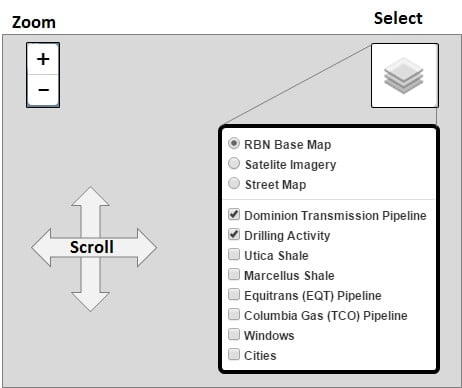
Think of RBN Pipeline like any online mapping service. For each map that you open, the system gives you access to certain features. You have three basic functions available to you. You can zoom in and out with the widget on the top left. You can select what features you want to see and what background (base map) you want to see it on with the widget on the top right. And you can scroll all around the map the way you would on any map application.
If you have other questions about how to use the mapping capability, click on the link in the bottom right corner Map Help.
CLICK HERE TO RETURN TO TODAY'S BLOG
This map is enabled for you to see Texas Eastern Transmission Co Pipeline (TETCO), Transco Pipeline and Tennessee Gas Pipeline (TGP). You can include the two producing blobs (NE PA and SE PA/WV/OH), the Marcellus and Utica shale regions described in Part 1, and the Crude/NGL/gas windows described in Part 1. All of these can be superimposed on the RBN base map, satellite imagery or a street map with cities. If you have questions or comments, please direct them to [email protected].